One place for the work behind your work.
Manage your gigs. Track your money. Keep your records organized. Understand what your work is adding up to.
GigDock is available on web, iPhone and Android.
Everything around the gig, connected.
From managing work dates to tracking payments and understanding your earnings, GigDock keeps the whole lifecycle together.
Find work worth pursuing
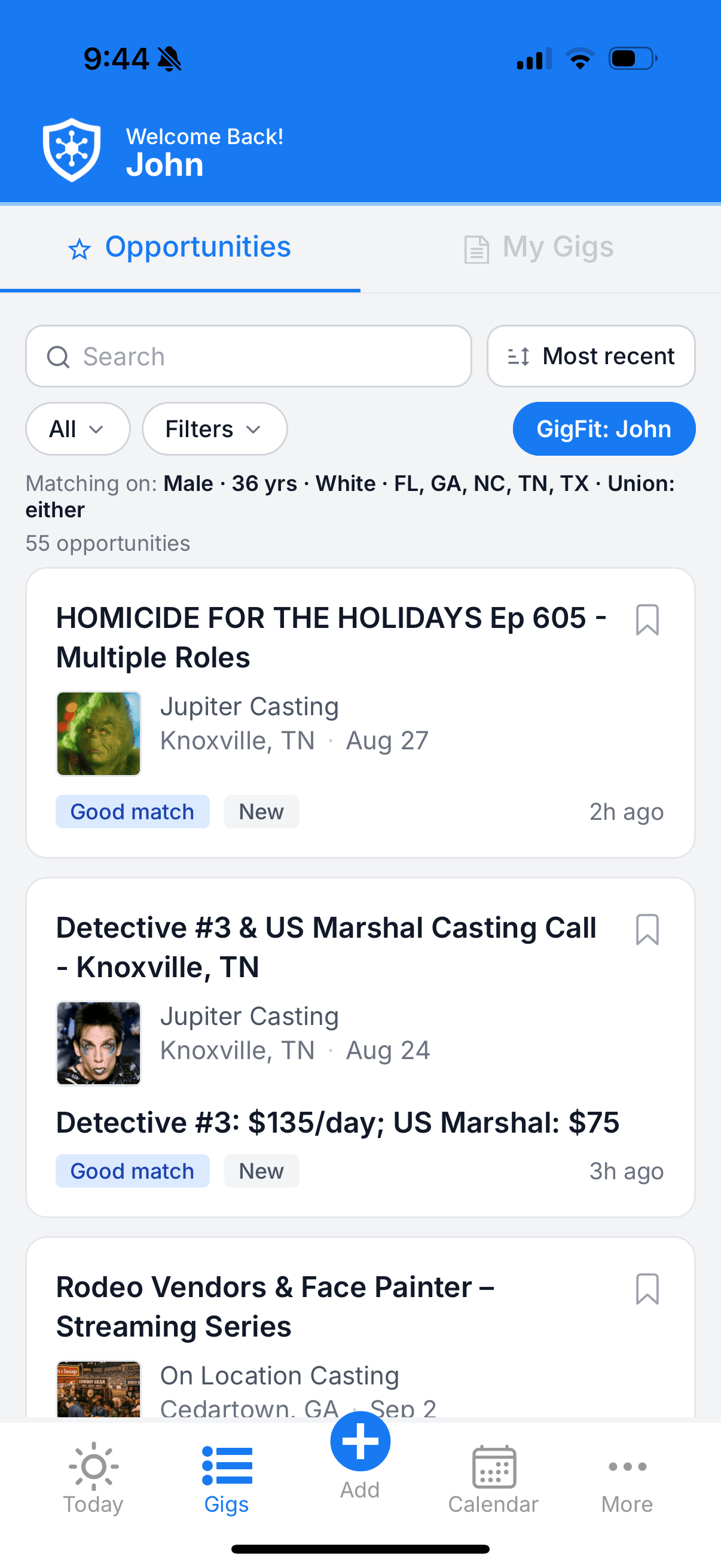
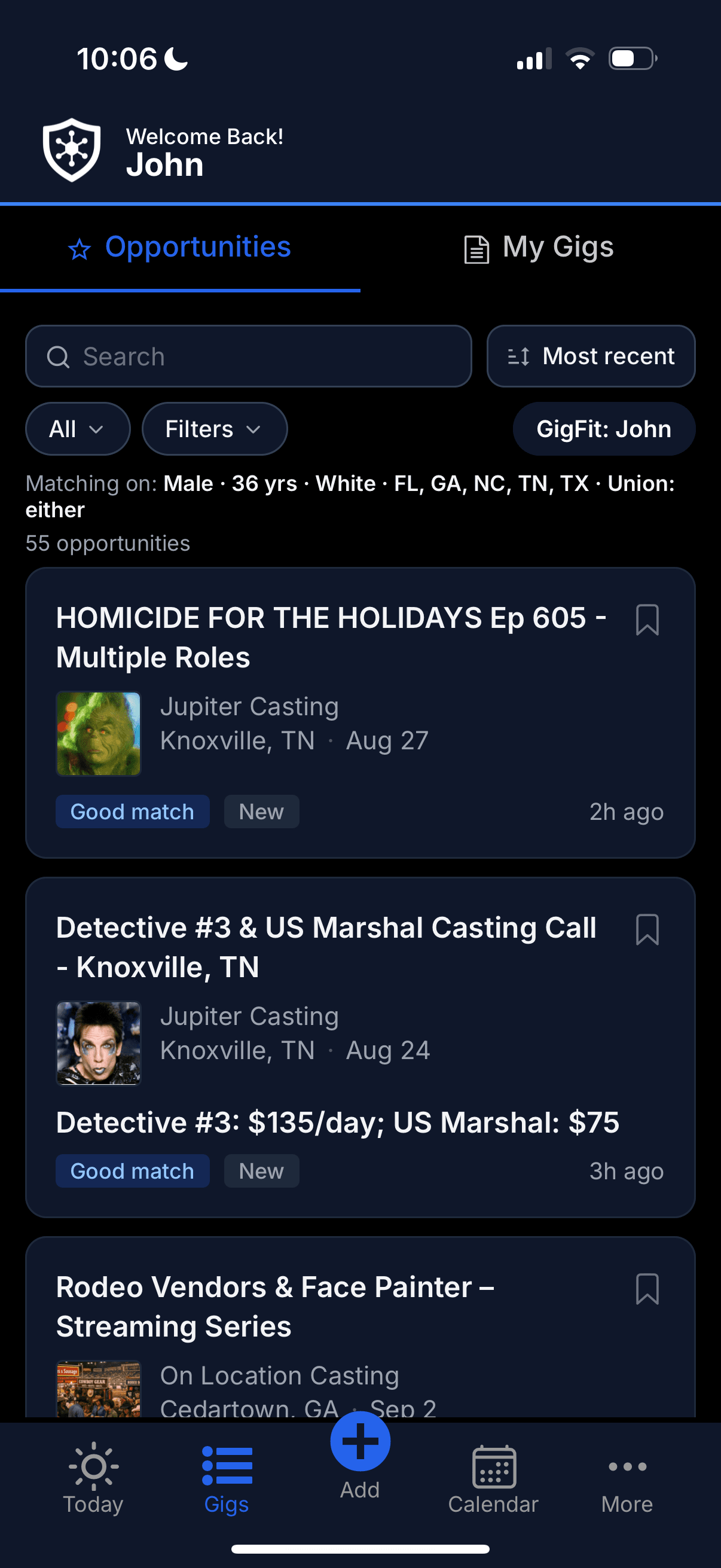
Optionally browse background opportunities and assess your fit with GigFit.
Keep every gig organized
Dates, hours, pay, notes, companies, documents and work status stay together.
Know where your money stands
See what you earned, what you received and what is still outstanding.
See the bigger picture
Understand your work activity, earnings patterns and history over time.
Find gigs worth your time — then keep them moving.
Browse background acting opportunities provided by ExtraJobs inside your GigDock account when the Opportunities connection is enabled. Search, save and track listings, then add booked work to My Gigs.
Background opportunities from multiple casting sources appear together when Opportunities is enabled.
Search text, U.S. state, sources, date posted, work-date range, work type, gender, union status and minimum pay. Sort by most recent, shoot date, or apply deadline.
Jump into a specific state or market and see everything currently active there.
Bookmark listings you're considering. Mark ones you've applied to. Share a listing to anyone with the URL.
GigFit compares an opportunity's casting requirements with information in your profile — markets, gender, ethnicity, age and union status — to help you quickly assess whether an opportunity may be a fit for you.
Pick the relevant date(s) as Availability Check or Booked, and GigDock creates a connected Gig on the spot — advertised rate mapped to the right pay structure, dates set, ready to manage.
Opportunity alerts for the work you want.
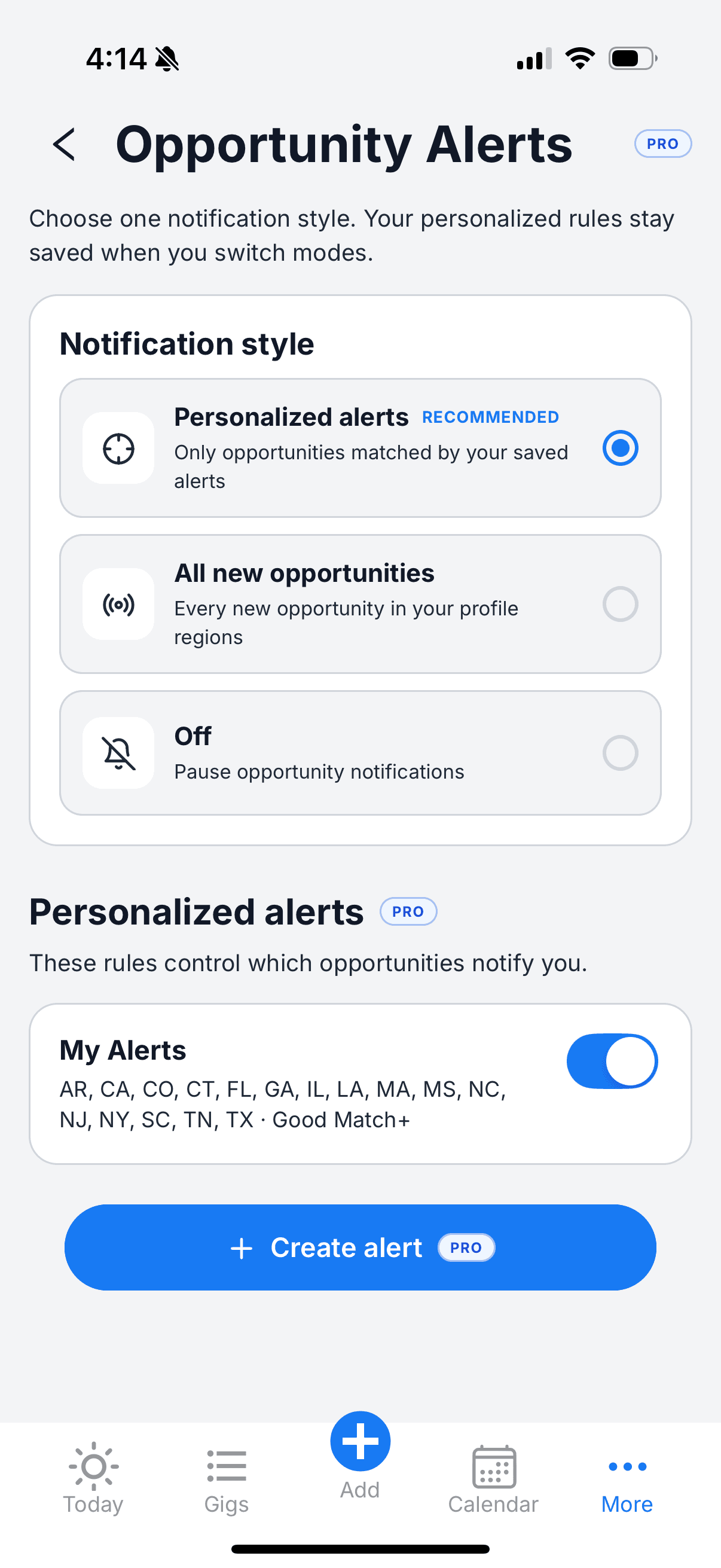
Choose your regions, personalize alert rules, and choose email or mobile push notifications for background opportunities. Opportunity Alerts are included with GigDock Pro or available separately through ExtraJobs Alerts. Delivery timing varies by source and channel.
Opportunity Alerts provided by ExtraJobs. Manage your preferences in GigDock on web or mobile.
Apply through the same channel the listing points to. GigDock helps you find and track the opportunity — it doesn’t replace the provider’s system.
The moving pieces of gig work, organized around the actual Gig.
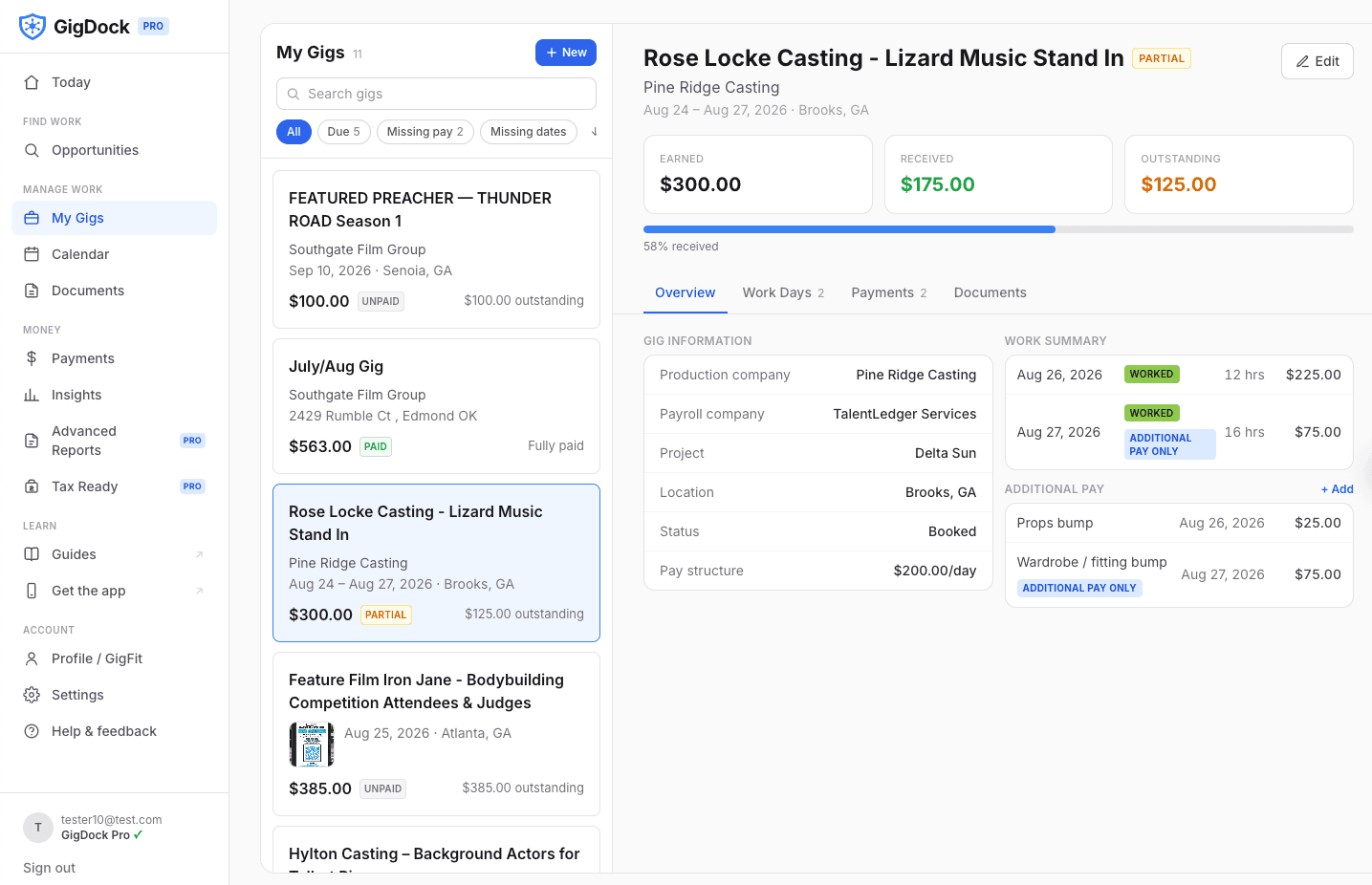
After you get the work, GigDock keeps every practical detail — dates, hours, pay, notes, location, project, companies, documents — attached to the Gig it belongs to.
Availability Check → Booked → Worked. Change a date's status right where you're already working.
Mileage, per diem, wardrobe, night premium, MPV — track "Additional Pay" against the specific worked day it belongs to.
Update hours from the calendar day view without reopening and re-editing the whole Gig.
Keep track of who's producing, who's casting, and who's paying — across gigs and across seasons.
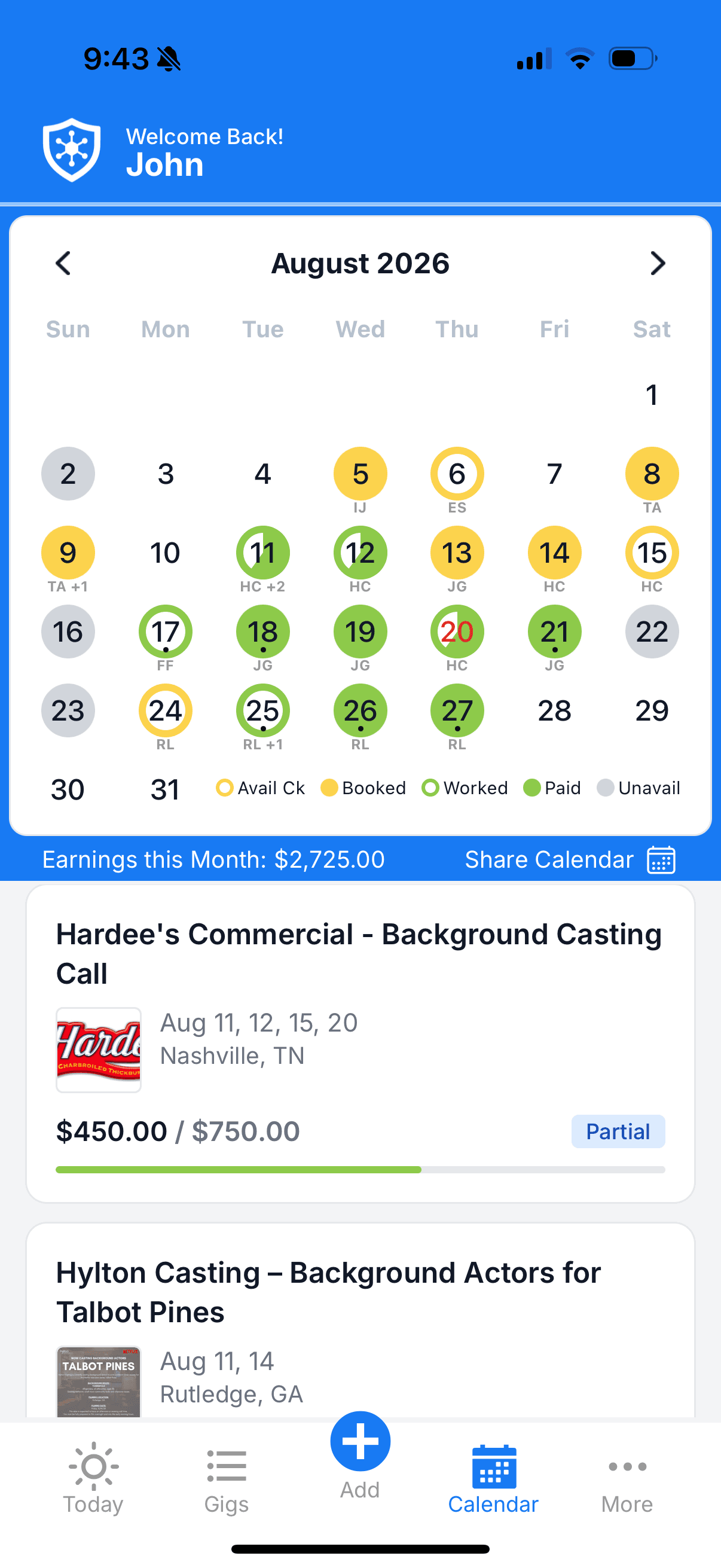
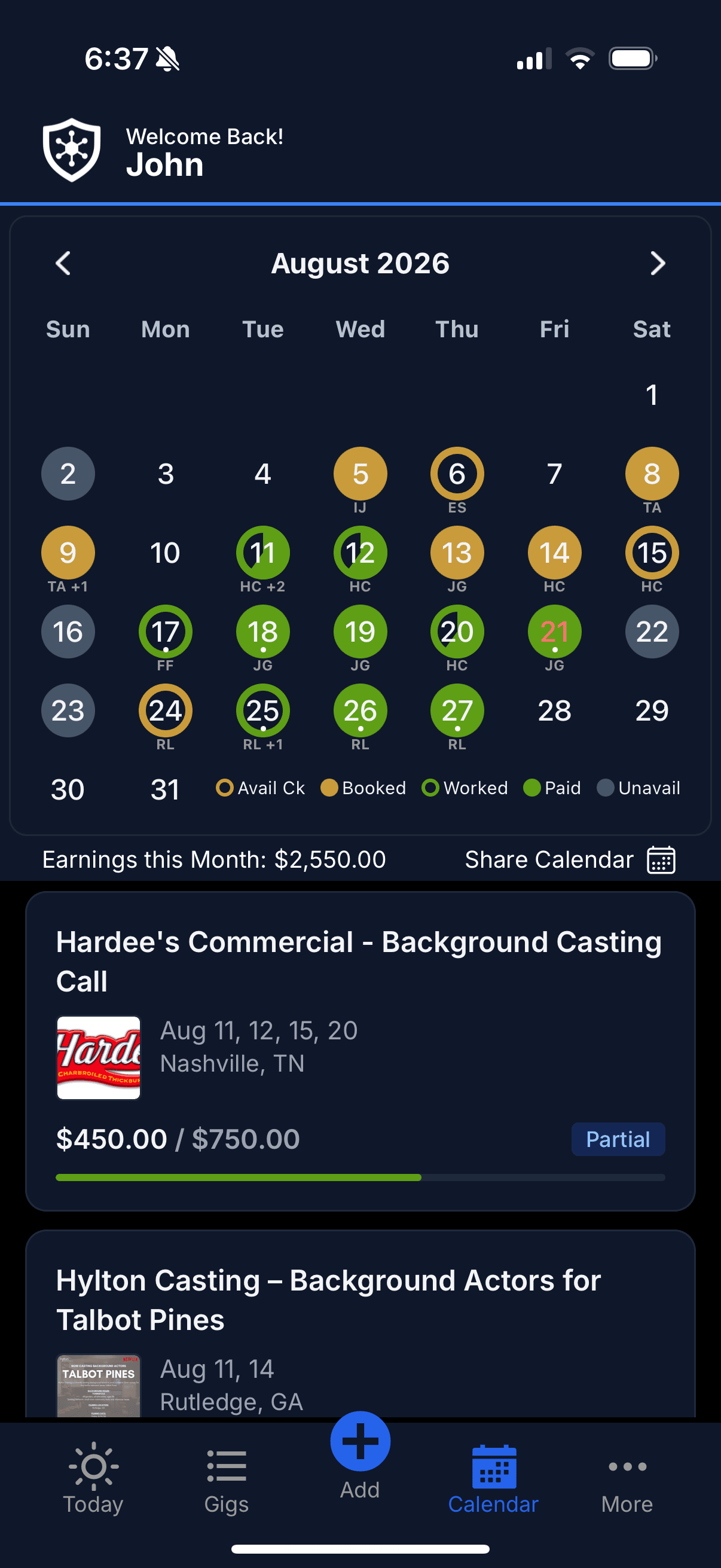
A monthly calendar shows every gig date at a glance — with statuses, links right into the day, and quick actions from the day sheet.
Earned is not the same as received.
GigDock separates the money you've earned from the money you've actually been paid — so partial payments, missing payments and slow payments are visible, not hidden.
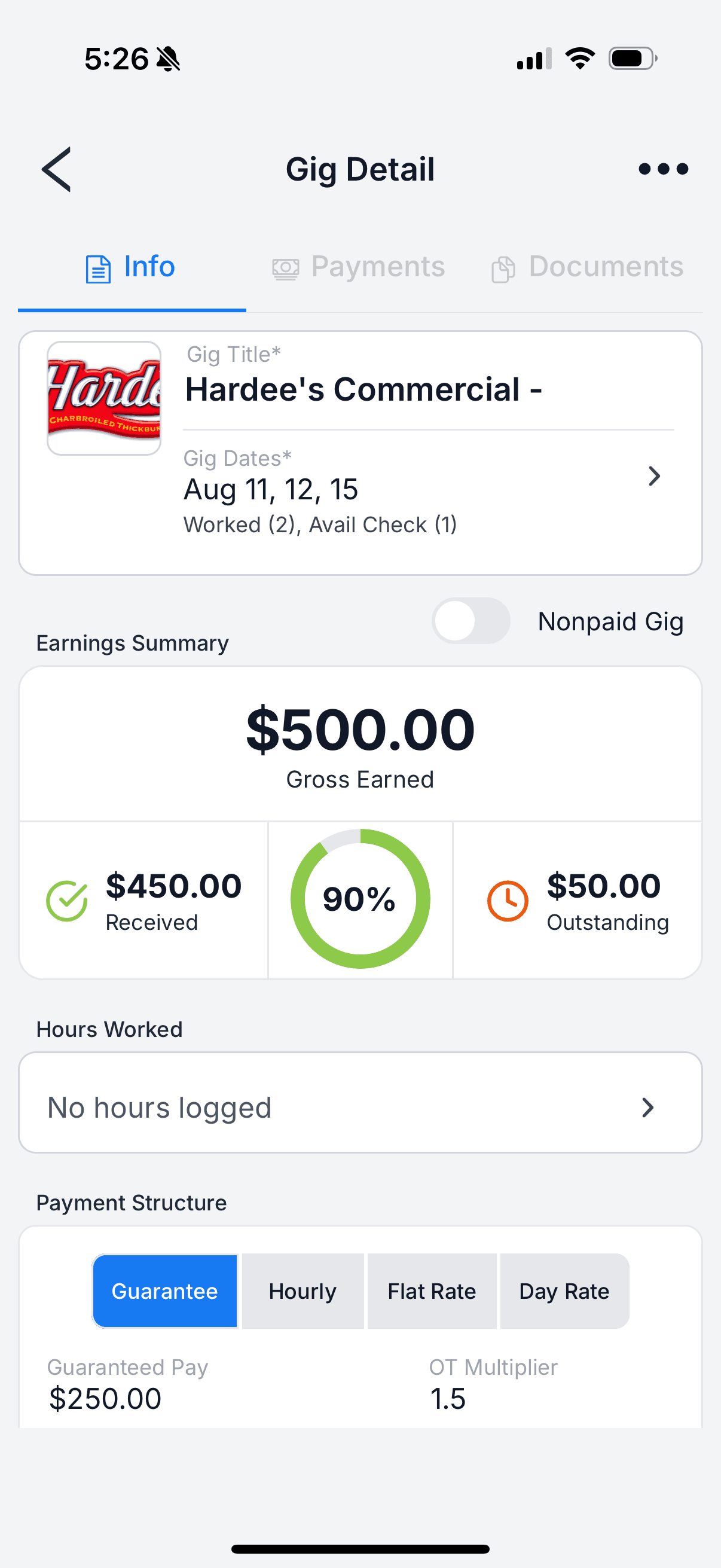
Every Gig shows what you've earned, what has come in, and what's still outstanding — with a received percentage so you can see where things stand at a glance.
Record one or more payments against a Gig with the payment date, gross amount and, when known, net amount. Partial payments are supported.
Track which dates were worked while payments and outstanding balances are tracked for the Gig as a whole.
Outstanding payments, missing payment details and other incomplete Gig information surface on Today so they don't get forgotten.
Insights and reports separate gross received from net received when you've recorded both — GigDock doesn't invent a net amount for you.
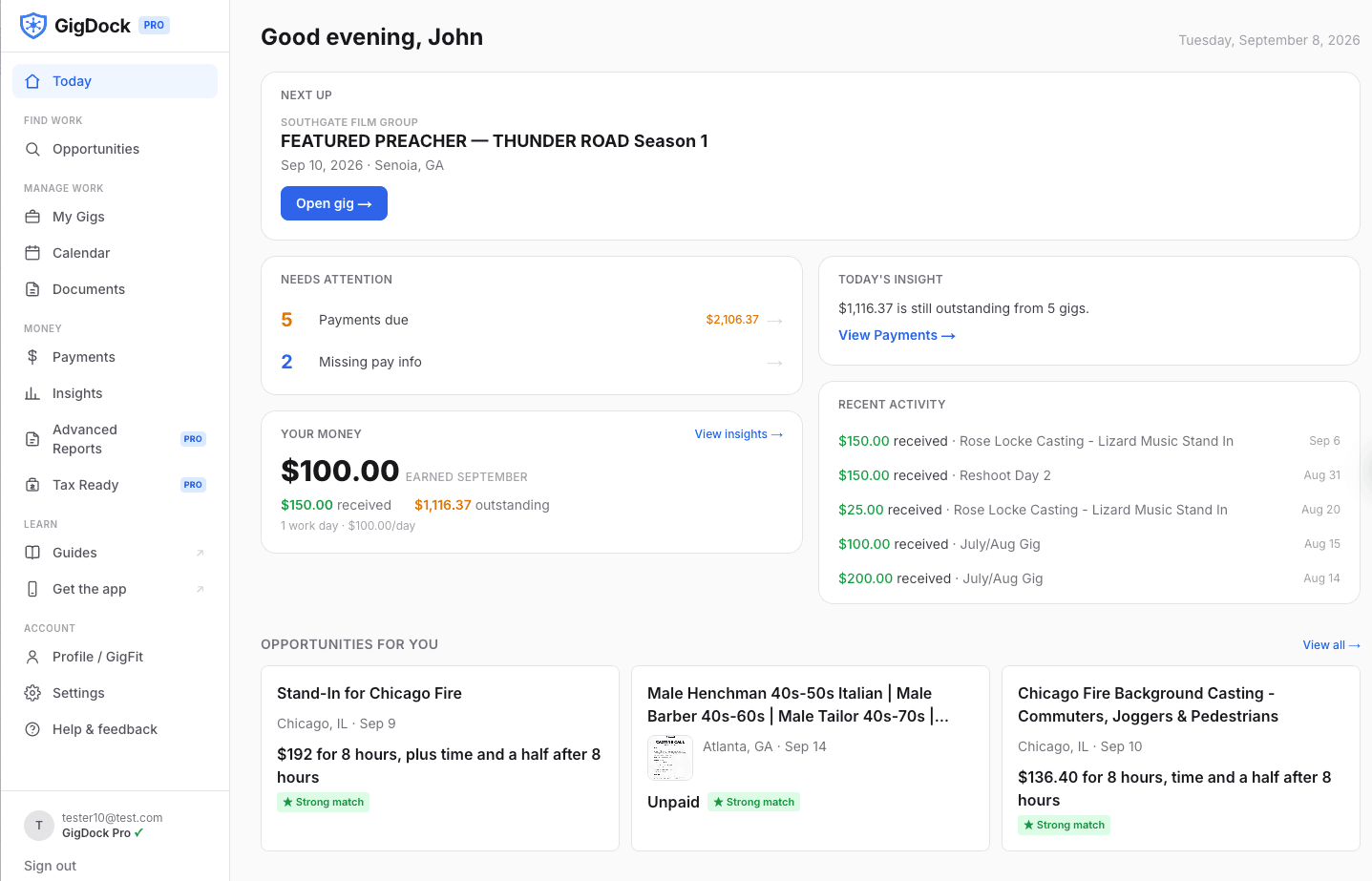
GigDock’s calculations are authoritative. Numbers on the page reflect what you’ve entered — not a guessed rate-times-days.
See what your gig year is adding up to.
Money & Payments answers "where does my money stand?" — Insights answers "what does all this work look like over time?"
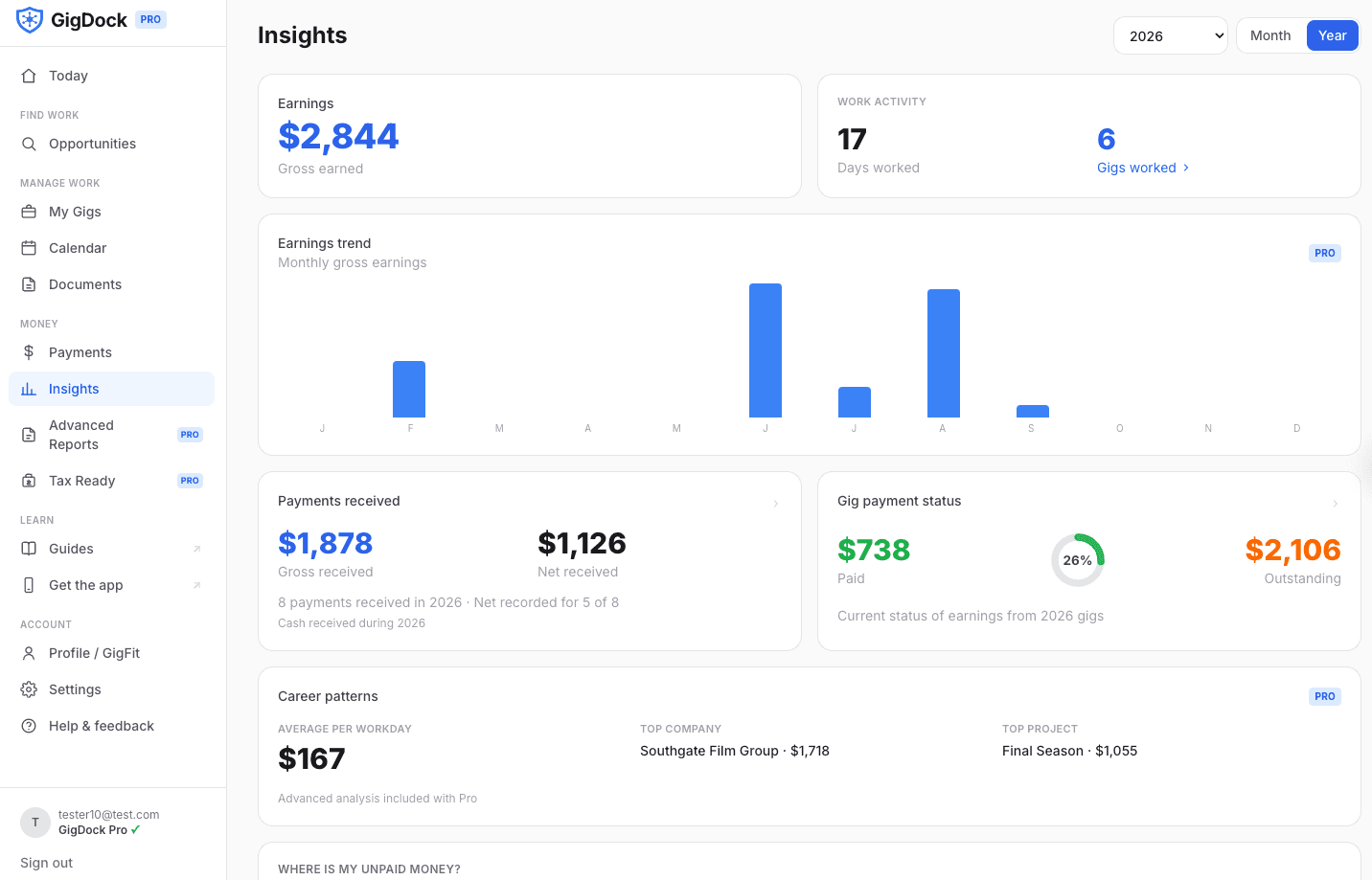
Gross earned for the current window, with weekly or monthly buckets that reflect worked-date attribution.
Days worked and gigs worked over the same window, so you can see the shape of the period at a glance.
Gross and, when recorded, net. Filtered by pay date so a receipt-only month is visible even without new worked days.
A donut of Paid vs Outstanding across the gigs in the window — with drill-throughs to the underlying gigs.
Top company, top project, and average per workday over a wider window.
Aging buckets (current, 15–30, 31–60, 60+ days) so slow payers surface as a group.
Analyze your work across longer time periods. Your GigDock history is always stored — Pro unlocks the trend, comparison and reporting views across it.
Keep the records with the work they belong to.
A voucher is not just a file. A pay stub is not just a file. A call sheet is not just a file. When applicable, those records belong to a specific Gig.
Upload a PDF or image, name it, classify it, set a document date — the file lives in a private, per-user location.
Pay Stub, Voucher, Call Sheet, Receipt, Contract, W-2, 1099, Other Tax Document, Other.
Preview PDFs and images in-page. Downloads use short-lived, signed links.
Search across documents and their gigs. Filter by type or year.
Attach the record to the work it belongs to — from the upload sheet or the document inspector. Change or remove the connection any time.
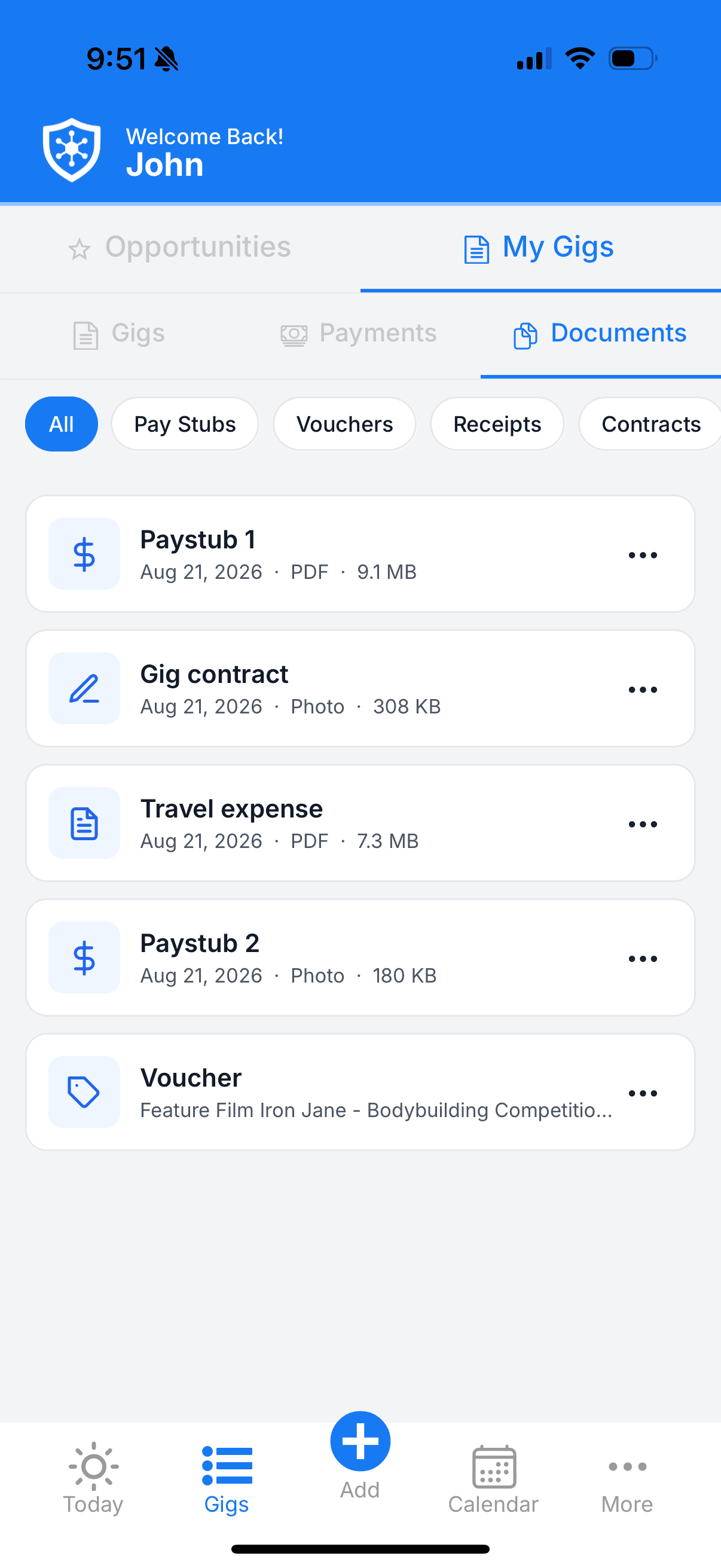
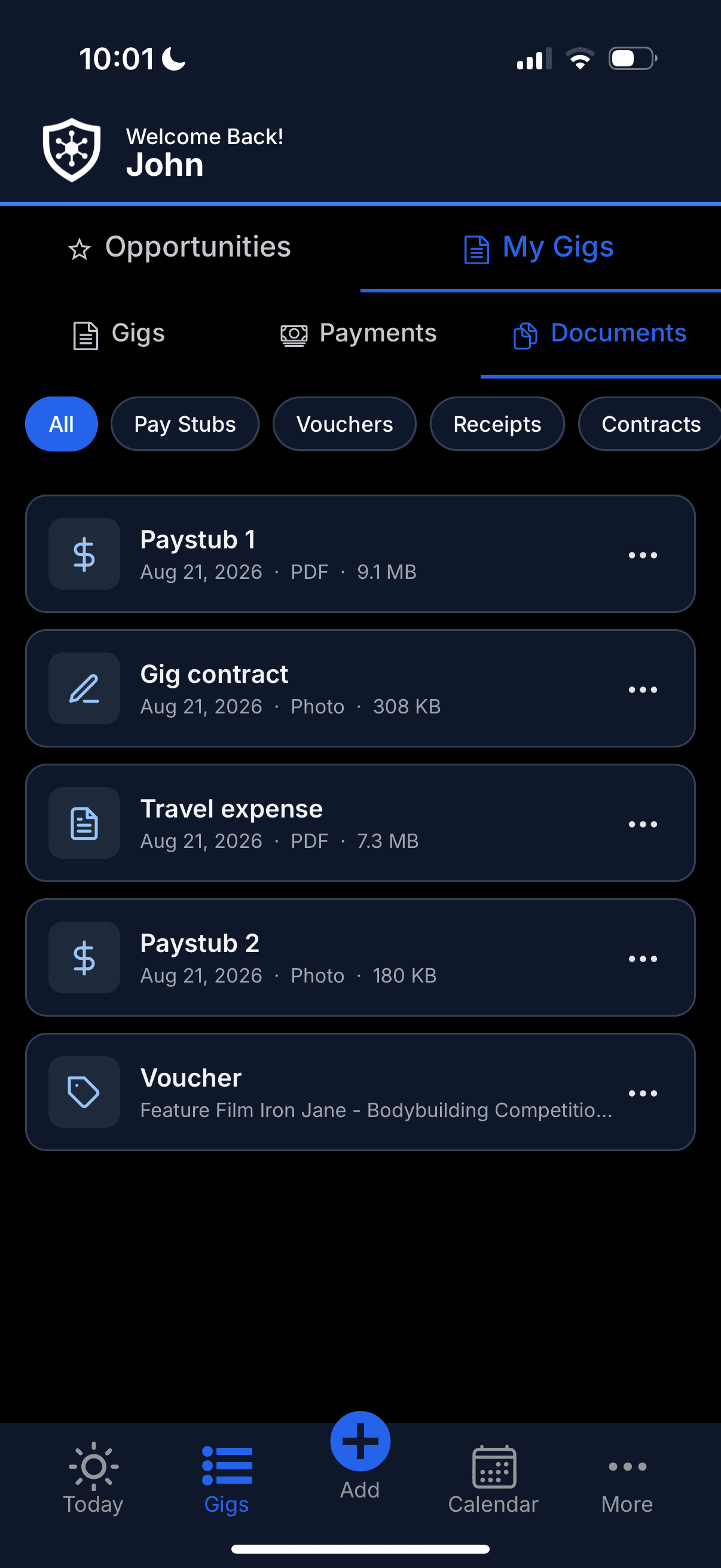
Basic uploading, viewing, renaming, classifying and downloading are free for everyone. Connecting a document to a specific Gig is a GigDock Pro feature.
Your gig records, organized for tax time.
The work you record throughout the year becomes the organized information you need later. Tax Ready doesn't file anything — it makes the file-ready.
The same worked-day and payment records that power Insights power Tax Ready.
Gross earnings and payments received for the selected tax year, at a glance.
W-2, 1099 and Other Tax Document records surface together — with a Review workflow for classification gaps.
A grouped catalog of reports for earnings, payments received, gross & net, companies, projects and documents.
Export the exact underlying rows to a spreadsheet — or hand a partner a clean PDF.
Historical breakdowns you can point a bookkeeper at without spelunking through screenshots.
GigDock is not tax-preparation software.It doesn’t file returns, determine deductions, or give tax advice. It helps organize your records so tax time is less painful.
The small things that make GigDock useful every day.
Little workflows designed around the annoying tasks gig work keeps generating.
Jump from the gig or workday to maps without hunting through messages for the address.
Grab the address to your clipboard when you need to paste it into another app.
Record hours from the day you're already viewing on the calendar.
Turn an Opportunity into a real GigDock Gig without rebuilding it manually.
Missing payments, missing hours and other loose ends surface on Today.
Keep personal availability alongside your work dates on the calendar.
Save listings, mark ones you've applied to — a real intent trail.
Send a listing to anyone with a link — nothing behind an app wall.
Extra compensation ties to the specific worked day it came from.
Paperwork lives with the Gig it belongs to instead of a generic pile.
Ask AI about your GigDock data.
Connect GigDock to supported AI assistants and ask questions about your work in plain English. Financial answers come from GigDock’s own calculations, not AI guesswork.
- “How much did I earn last month?”
- “How much did I make with [company] this year?”
- “Which gigs still owe me money?”
- “Show me my recent gigs.”
- “Why did I earn this amount on this gig?”
Connect GigDock to Claude, ChatGPT or Cursor — tools you already use — and let them see your GigDock records.
Financial answers come from GigDock’s calculations rather than the AI reconstructing rate-times-days on its own.
Connections are read-only today. You can revoke access from Settings any time.
Powered by Model Context Protocol (MCP). Custom-connector / OAuth is supported, plus manual bearer tokens for compatible clients. Today’s tools are read-only — AI cannot create or edit GigDock records through the connection.
What can I do for free, and what gets deeper with Pro?
Most of GigDock is free. Pro deepens the parts of the product where history, analysis, organization and reporting benefit from more room.
- Browse and search opportunities
- Save, share and mark applied
- GigFit tiers on opportunities
- Add to My Gigs from an opportunity
- Full Gig Management: dates, hours, Additional Pay, notes
- Payments per Gig: expected, received, outstanding
- Basic Insights for the current period
- Basic Documents: upload, classify, view, download, rename
- Historical insights & trends — analyze your work across longer time periods
- Advanced Insights — career patterns, aging, and deeper analysis
- Advanced Reports & PDF / CSV exports — report across your full GigDock history
- Tax Ready organizer
- Connect documents to specific gigs
- Opportunity Alerts provided by ExtraJobs (also available separately)
- AI connections (MCP) — Claude, ChatGPT, Cursor
Your GigDock history is always stored. Pro unlocks deeper analysis, reporting and organization across it.
Use GigDock on web, iPhone and Android.
GigDock is the product. The web, iPhone and Android apps are different ways to use it. Your gigs, payments, documents and insights follow you across all three.
Deep views on a larger screen. The best place for Insights, Advanced Reports and Documents.
On-set workflows: quick hour entry, statuses, calendar and Add to My Gigs.
Same core app on Android, with the same on-set workflows.
Opportunity Alerts can be configured on web or mobile. Push notifications are delivered through the GigDock mobile app.
Bring your gig work together.
Free to start. Web, iPhone and Android.