

How to Track Income and Expenses From Film & TV Gigs
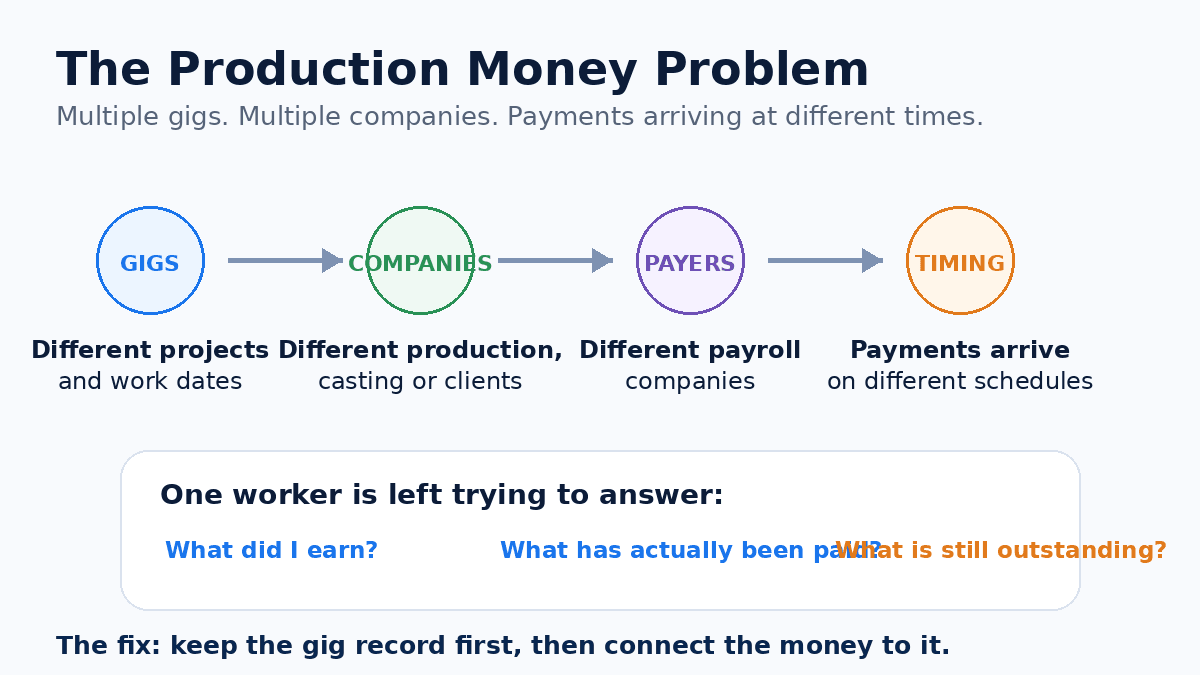
Working in film and television can mean working for a lot of different productions, casting companies, payroll companies and clients over the course of a year.
One week you may work two days on a television series. The next week, a commercial. Later that month, another production entirely.
And months later, when you are trying to answer a simple question — how much did I actually make? — you may discover that the answer is scattered across pay stubs, emails, bank deposits, calendars, screenshots and tax forms.
Add expenses, mileage, receipts and unpaid gigs, and it becomes even harder. The solution is not complicated: keep a reliable record of the work as it happens.
This guide explains what to track, how to organize it, and what records may become important later — especially at tax time.
Why production income gets difficult to track
A traditional employee may receive roughly the same paycheck from the same employer every two weeks. Production work often looks very different. You might work for:
- multiple productions
- different production companies
- several payroll companies
- casting companies
- agencies or staffing companies
- direct clients
- different types of projects
You may also receive different kinds of compensation — hourly wages, day rates, guaranteed rates, overtime, bumps or adjustments, kit or equipment fees, mileage reimbursements, per diem, and other production-specific compensation.
And payments do not necessarily arrive in the same order the gigs happened. That’s why simply watching your bank account is a poor system for understanding your production income.
Start with the gig, not the payment
One of the best organizational habits is to create a record when the work is booked or performed, rather than waiting until the money arrives. For each production gig, record at least:
- production or project name
- your role
- production company
- casting or hiring company, when applicable
- payroll company, when known
- work date or dates
- agreed rate
- guaranteed hours, if applicable
- actual hours worked
- additional compensation
- expected or estimated gross earnings
- payment status
- actual gross payment
- actual net payment
- payment date
Why? Because a bank deposit alone may tell you almost nothing. A deposit for $237.48 doesn’t necessarily tell you which production it belongs to, which work date it covers, what the gross amount was, whether overtime or a bump was included, what taxes were withheld, or whether another workday is still unpaid.
The gig provides the context. The payment completes the record.
Track gross income separately from net income
Gross pay is what you earned before applicable taxes, withholding and other deductions. Net pay is what actually reaches you after those deductions.
If you worked a gig with gross earnings of $250 and $207 reaches your bank account, that does not necessarily mean you were shorted $43 — that difference may represent withholding or other legitimate payroll deductions. For understanding what you earned, gross income is usually the more useful starting point; for actual cash flow, net income matters too. So ideally, keep both:
Expected gross → Actual gross → Net payment
Don’t confuse income with deposits
Suppose you work three gigs:
| Gig | Gross earned | Payment status |
|---|---|---|
| Production A | $225 | Paid |
| Production B | $350 | Outstanding |
| Production C | $180 | Paid |
You earned $755, but you have only received $405. Those are two different numbers. If you only look at deposits, you may think you made $405. If you only look at earnings, you may forget that $350 hasn’t arrived. For people working frequent production gigs, always track three numbers:
- Earned — what the work generated.
- Received — what has actually been paid.
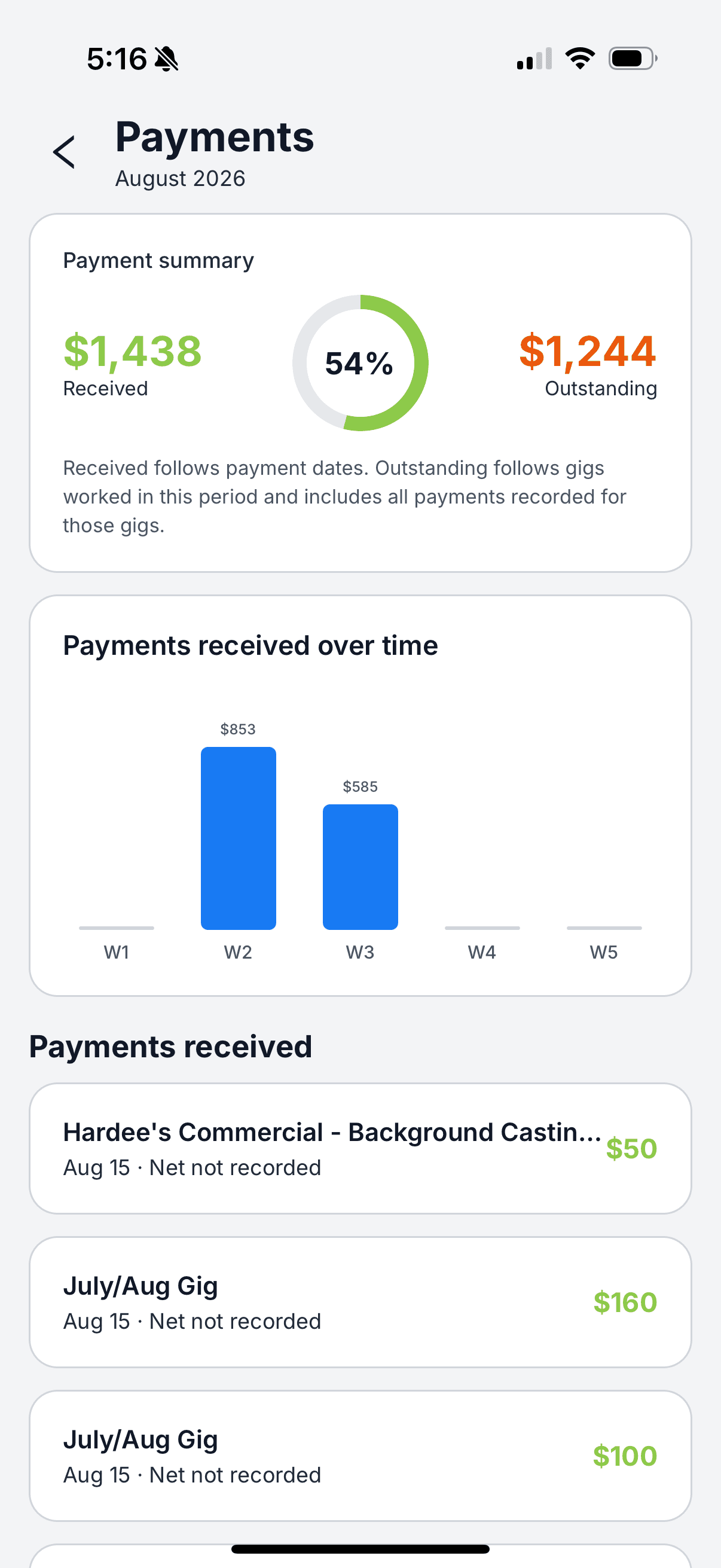
- Outstanding — work you’ve completed that has not yet been recorded as paid.

Keep your pay stubs and payment records
When a payment arrives, don’t just record the bank deposit — save the supporting documentation when available: a pay stub, payroll statement, direct-deposit notice, check or check stub, payment-platform record, invoice or remittance statement.
The pay stub can help explain the difference between gross and net. It may show gross wages, federal and state withholding, Social Security, Medicare, other deductions, work dates, production and payroll company. Those records can become especially important when you are reconciling income at the end of the year.
Now track your expenses separately
Production work can also create expenses — supplies, equipment, professional services, software, certain travel or transportation costs, business-related subscriptions, equipment rental and other industry-related expenses. But there is an extremely important distinction:
An expense you track is not automatically a tax deduction.
Whether an expense is deductible depends on factors including whether you are an employee or self-employed, what the expense was for, whether it was business or personal, whether it was reimbursed, current tax law and your individual circumstances. For self-employed taxpayers, the IRS generally says deductible business expenses must be ordinary and necessary for the trade or business, and expenses that are partly personal generally require separating the business portion. (IRS)
The safest organizational approach is: keep good records first, determine tax treatment second.
What information should you record for an expense?
For each potentially business-related expense, keep the date, amount, merchant/vendor, category, reason for the expense, related project or gig (when applicable), payment method, whether you were reimbursed, and a receipt or supporting documentation. For example:
That is much more useful six months later than a credit-card charge that simply says “PARKMOBILE — $18.00”.
Save the receipt while you still have it
Receipts have a remarkable ability to disappear. Paper receipts fade, emails get buried, and screenshots vanish into thousands of photos. A good habit is to capture supporting documentation when the expense occurs.
The IRS says good records can help taxpayers identify sources of income, keep track of potentially deductible expenses, prepare returns and support amounts reported on a return, and generally allows any recordkeeping system that clearly shows income and expenses, subject to specific rules for certain items. (IRS) The exact system matters less than consistently using one.
What about mileage?
Mileage deserves special treatment because the tax rules around vehicle and transportation costs can be more complicated than simply “I drove to a gig, so I can deduct the mileage.” Whether transportation qualifies depends on the circumstances — for example, IRS Publication 463 distinguishes deductible business transportation from ordinary commuting and discusses rules involving travel between workplaces, temporary work locations and a taxpayer’s tax home. (IRS)
So if vehicle expenses may matter to your work, keep a contemporaneous mileage record — date, starting location, destination, business purpose, miles traveled and the related production — and let your tax professional or applicable tax guidance determine how much qualifies. Do not wait until April and try to reconstruct an entire year’s driving from memory.
W-2 and 1099 income should not be treated as the same thing
Production workers can encounter different employment arrangements. If you are an employee, your employer generally reports wages on Form W-2 and usually withholds applicable employment taxes. If you are an independent contractor, compensation may instead be reported on forms such as Form 1099-NEC, and you may be responsible for self-employment and estimated tax obligations. The IRS specifically notes that gig workers can perform work either as employees or independent contractors and that the tax responsibilities differ. (IRS)
This is why keeping your records organized by payer and gig matters. At year-end, you want to connect Gig → Payment → Payer → Tax document rather than receiving a form from a payroll company and wondering what work it relates to.
Coming next in this series: W-2 vs. 1099 for Film & TV Production Work.
What if you don’t receive a tax form?
Do not assume income disappears simply because no tax document arrives. The IRS says gig income generally must be reported even if it is temporary or part-time work and even when it isn’t reported to you on an information form such as a W-2 or 1099. (IRS) That’s another reason your own records matter — your annual income record should not depend entirely on the forms other companies remember to send you.
A simple production-gig recordkeeping system
At a minimum, maintain four sets of records:
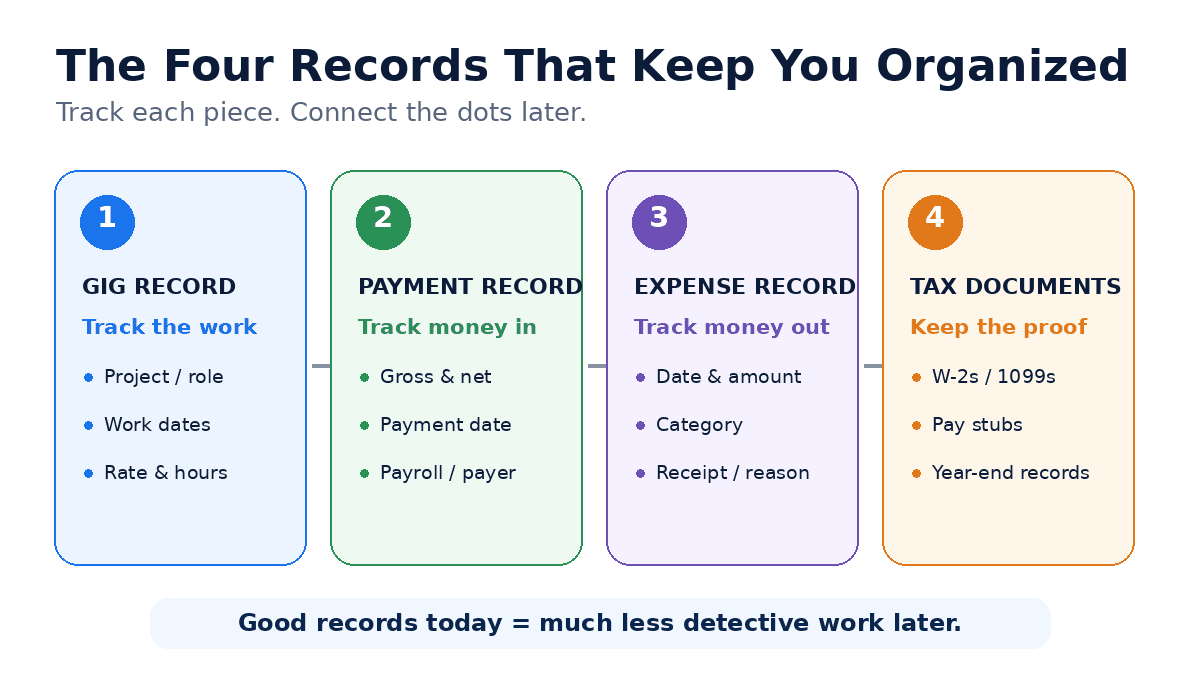
- Gig record — project, company, dates, role, rate, hours, other compensation.
- Payment record — gross, net, payment date, payer, and the work it corresponds to.
- Expense record — date, amount, category, business purpose, receipt, reimbursement status.
- Tax-document record — W-2s, 1099-NECs, other income forms, estimated-tax-payment records, and supporting income/expense documentation.
The IRS specifically recommends that gig workers collect and retain records and receipts throughout the year instead of waiting until tax filing. (IRS)
The biggest mistake: trying to reconstruct everything later
Imagine it’s February. You worked 63 gigs last year, received payments through five payroll companies, and some payments arrived weeks after the work. You’ve got 4 W-2s, 2 1099s, dozens of bank deposits, hundreds of emails, screenshots of casting notices, receipts in your glove compartment and transactions across three cards — and now you’re trying to figure out what happened. That’s the hard way.
The better system: when booked, record the gig; when you work, update hours and compensation; when you spend, record the expense and keep the receipt; when you’re paid, record gross, net and payment date; at year-end, reconcile your records against the tax forms you receive. A few minutes throughout the year can save hours of detective work later.
How GigDock fits into the process
GigDock is designed around the reality that production work happens gig by gig. Instead of treating the individual job as something you forget after the workday, GigDock gives you a place to keep the gig itself organized. You can keep records of things such as production, work dates, rates, hours, bumps or additional compensation, gross payments, net payments and payment status.
That makes it easier to answer questions like: How much have I earned? What has actually been paid? Which gigs haven’t I marked paid yet? What did I work three months ago? What rate was I booked at?
GigDock isn’t tax-preparation software, but it is tax-readiness software. It keeps the work organized before tax season arrives so that when it’s time to prepare your taxes, the numbers and records are already in one place and much easier to manage. Recording something in GigDock doesn’t determine its tax treatment — it just makes sure nothing is lost by the time you, or whoever prepares your return, needs it.
See how GigDock helps manage your gig life →
A monthly 15-minute money check
Once a month, review your production records and ask: Did I record every gig? Are the hours and rates correct? Did every payment that arrived get connected to the right work? Are there gigs still unpaid? Did I save receipts for relevant expenses? Are there transactions I no longer recognize? Do I know which companies paid me? Doing this monthly is far easier than doing it once a year.
Production work is complicated enough. Your records don’t have to be.
Working gig to gig creates freedom and variety — but also fragmentation: different productions, payers, rates, dates, expenses and payments. You may not be able to simplify the production industry, but you can simplify the way you keep track of your own work. Record the gig. Record what you earned. Record what you received. Keep the documentation.
New to tracking gigs? See the exact fields to record for every gig, and how background actors get paid.
Your gig life, simplified
GigDock gives people working film & TV gigs one place to keep their gigs, hours and pay — gross and net — organized before tax season arrives.
Frequently asked questions
How should I keep track of income from multiple film and TV gigs?
Create a separate record for each gig that includes the project, work dates, rate, hours, expected earnings and payment status. When the payment arrives, add the actual gross and net amounts and connect the payment to the corresponding work.
Should I track gross or net pay?
Ideally, both. Gross pay shows what you earned before deductions, while net pay shows what actually reached you after withholding and other deductions.
What expenses should production workers track?
Keep records of expenses that may relate to your production work, along with receipts and the business reason for each expense. Whether an expense qualifies for a tax deduction depends on your employment status, the type of expense and your individual circumstances.
Can I deduct mileage to a film set?
Not automatically. Transportation and commuting rules can be complicated and depend on circumstances such as work locations and tax home. Keep accurate mileage records and consult current IRS guidance or a qualified tax professional to determine how the rules apply to you.
What records should I keep for taxes?
Depending on your work, useful records may include W-2s, 1099s, pay stubs, income records, expense receipts, mileage documentation and records of estimated tax payments. The IRS recommends maintaining supporting records that clearly document income and expenses.
Is GigDock tax software?
No. GigDock helps people working production gigs keep their work, earnings and payments organized. Tax treatment and filing depend on your individual circumstances and applicable tax law.
General information for people working film & TV gigs, not legal, tax or accounting advice. Whether income or an expense is taxable or deductible depends on your individual circumstances and current tax law. Consult a qualified tax professional or current IRS guidance for your situation.